You are choosing between two automated CTR tools and need a clear answer, not a feature list. Both promise browser sessions that search, click and stay on your page, but they differ in how visits are proven, which platforms they cover and how much control you get over each click. That gap matters when you are paying per visit and can't see what happened.
This comparison breaks down SerpClix and CTRTool feature by feature, covering automated visit paths, screenshot proof and campaign controls for Google, Bing, Maps and AI Overviews. By the end you will have a specific verdict and know which tool fits your campaign type, budget and reporting needs.
Quick Verdict: SerpClix vs CTRTool for Automated CTR Campaigns
CTRTool and SerpClix both promise to influence search rankings through clicks, but they operate on fundamentally different models: CTRTool is a managed CTR campaign platform with screenshot proof, while SerpClix is a paid-to-click marketplace relying on human click workers.
That distinction shapes everything else in the comparison. CTRTool gives you documented evidence for each visit and detailed control over how a campaign runs. SerpClix, by contrast, generally connects advertisers with workers who complete click tasks through a Firefox extension, with the specifics of pricing and task flow best confirmed on its own site.
The table below summarizes the core differences based on publicly available information and each tool's stated approach.
| Aspect | CTRTool | SerpClix |
|---|---|---|
| Core model | Managed CTR campaign platform | Paid-to-click marketplace with human workers |
| Visit proof | Screenshot proof for every visit, with search and landing screenshots as separate images | Generally task completion records, exact proof format varies |
| Visit depth | Full visit paths, visits up to 5 minutes with up to 5 additional internal pages | Typically a search and click task, depth varies by worker |
| Position tracking | Keyword positions tracked over time, including Maps listing order and AI citation order | Not a stated focus of the platform |
| Device targeting | Per-campaign Desktop or Mobile choice | Depends on the worker's setup |
| Billing model | Pay-for-results credits, no credits charged for technical failures before landing, shared balance across all campaign types | Typically pay per completed click, details vary |
| Scale limits | Up to 100 campaigns with 100 keywords each | Varies by account arrangement |
The biggest practical gap is verifiability. With CTRTool, each visit produces screenshot proof, so you can confirm that a click actually happened and see the path it followed. That matters for agencies and in-house teams who need to justify spend or show clients what a campaign delivered.
CTRTool also tracks keyword positions over time, including Maps listing order and AI citation order, which turns a CTR campaign into a measurable ranking effort rather than a one-off burst of clicks. The per-campaign Desktop or Mobile choice adds another layer of control that a worker-driven marketplace cannot easily guarantee.
SerpClix's human worker approach has its own appeal. Real people performing manual clicks can look natural in principle, and the model is simple to understand. The trade-offs are less predictable session behavior and limited proof of what each visit actually did.
On billing, CTRTool's pay-for-results credit model is worth noting: no credits are charged for technical failures before landing, visits that cannot verify the requested location use no credits, and one credit balance is shared across all campaign types, websites and keywords. Unused credits roll over while subscribed.
- Choose CTRTool if you are an agency or growth team that needs screenshot proof, full visit paths, and tracked keyword positions including Maps and AI citations.
- Consider SerpClix if you are a budget-conscious solo user who wants to test manual clicks through a marketplace and does not require documented proof per visit.
Verdict: CTRTool is the better fit for anyone who needs verifiable, controlled CTR campaigns with evidence behind every visit, while SerpClix may suit those simply testing manual clicks at a smaller scale.
At a glance: how CTRTool compares to SerpClix on the features that matter most.
| Feature | CTRTool | SerpClix |
|---|---|---|
| Pricing | From $59/mo | No buyer pricing stated |
| Free plan / trial | ✗ | — |
| Search engine coverage | Google, Bing, Maps, AI Overviews | |
| Visit proof / verification | Screenshot proof per visit | Extension timer & auto-close |
| Location targeting | Country, state, city | — |
| Campaign management | Up to 100 campaigns x 100 keywords | Extension shows orders |
| Pay-per-result credit model | Yes (credits, no charge on failure) | Pay per click (clickers earn) |
| Platform / access method | Web SaaS | Firefox & Edge extension |
What Is CTRTool?
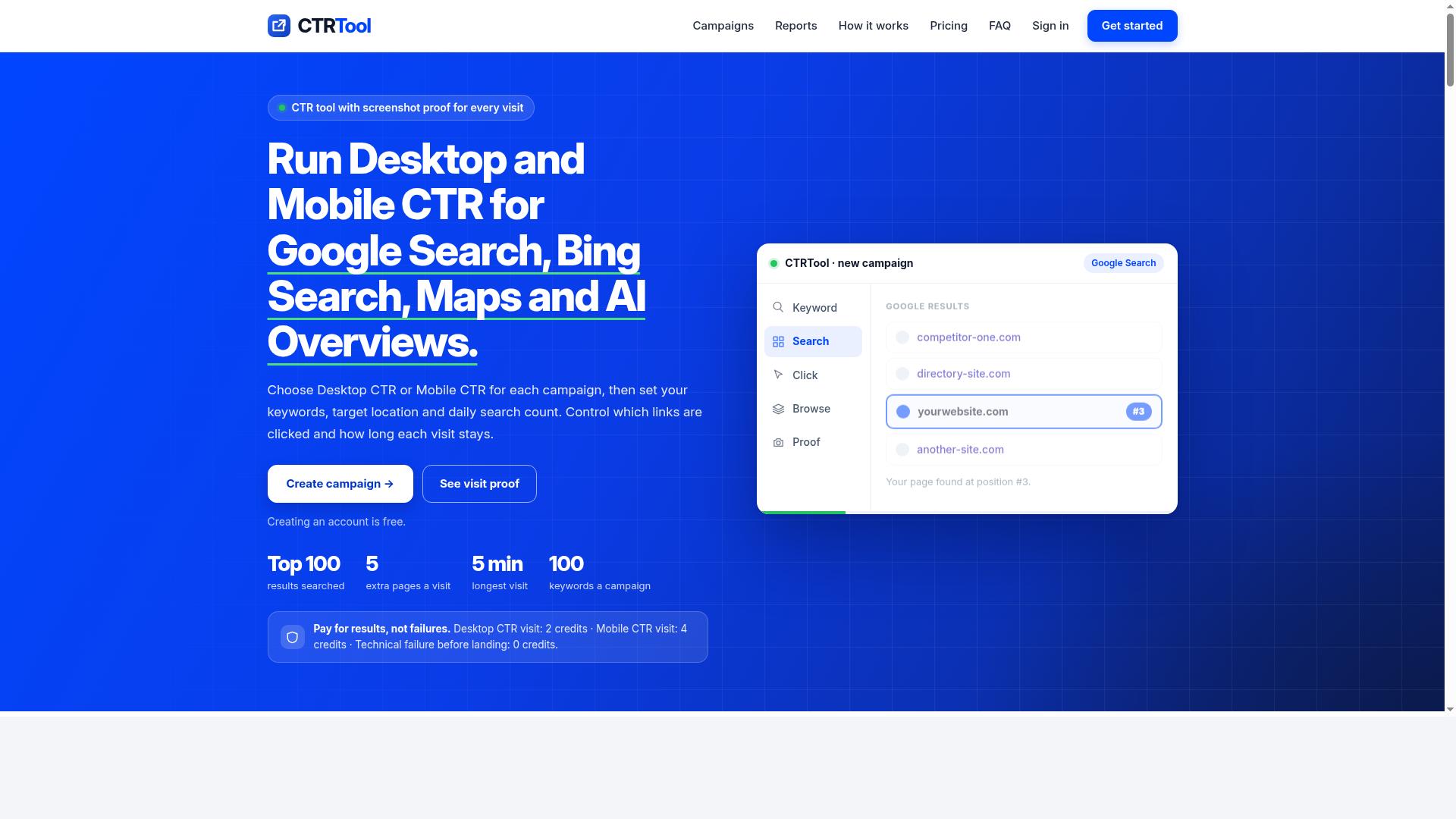
CTRTool is a SaaS platform that runs Desktop and Mobile CTR campaigns for Google Search, Bing Search, Google Maps, and AI Overviews, providing screenshot proof for every visit. That proof element is the heart of the product's positioning: a CTR tool with screenshot proof, rather than a black box that asks you to trust a counter.
Users choose Desktop CTR or Mobile CTR per campaign, then set keywords, target location, and daily search count. They also control which links are clicked and how long each visit stays. In other words, the campaign setup maps directly onto the signals that matter for user behavior signals: which result gets the click, and how long the visitor remains on the page.
Location targeting goes deeper than country level. Campaigns can be aimed at specific countries, states, and cities, which suits local SEO work where a business needs visibility in a defined service area rather than nationwide. The platform covers Google Search, Bing Search, Maps, and AI Overviews, so one tool handles the surfaces where most discovery now happens.
The site is candid about limits. It states plainly that automated visits do not guarantee rankings. That honesty matters in a category where vendors often overpromise. CTRTool presents itself as a controlled way to shape click-through rate and dwell time signals, not as a shortcut that overrides the ranking algorithm.
Compared with SerpClix, a paid-to-click platform that relies on a pool of click workers using a Firefox extension, CTRTool's model is built around automated browser sessions with recorded evidence. The table below summarizes the contrast using verified CTRTool facts and general, publicly described characteristics of SerpClix.
| Factor | CTRTool | SerpClix |
|---|---|---|
| Campaign model | Desktop and Mobile CTR campaigns chosen per campaign | Paid-to-click tasks assigned to a worker pool |
| Proof of visit | Screenshot proof for every visit | Typically relies on platform reporting rather than per-visit screenshots |
| Search surfaces | Google Search, Bing Search, Maps, AI Overviews | Generally oriented around organic search results |
| Location targeting | Country, state, and city level | Varies by worker availability in a region |
| Visit control | Choose clicked links and visit duration | Limited to task instructions given to workers |
The practical takeaway: if you want documented evidence and per-campaign device control, CTRTool is the stronger fit. SerpClix may appeal for simple manual clicks, but its worker-driven model offers less certainty about how each session actually unfolds.
What Is SerpClix?
SerpClix is a paid-to-click platform where human click workers perform manual searches and click on results using a Firefox extension. It sits in the broader category of microtask platforms that pay people small amounts to complete simple actions online.
For advertisers, the model works like this: a buyer submits a target keyword and a page they want clicked. Workers then receive those tasks through the browser extension, run the search, and click the designated result. The appeal is that every click comes from a real person on a real browser rather than a script.
The Firefox extension is central to how tasks are delivered. Workers install it, get notified when work is available, and complete searches in exchange for payment. Because the process depends on people being available and following instructions, volume and timing are tied to the worker pool rather than to a schedule you control.
It is worth noting what SerpClix is not. It is not an automated system, and it does not run browser sessions on your behalf. Every action is a manual click performed by a person, which is the defining difference between this model and tools built around automated browser sessions.
Public information about the platform is fairly general, so treat specifics like pricing tiers or exact worker numbers with caution. What can be said with confidence is the core mechanic: paid human clicks delivered through a browser extension. That framing is the right lens for comparing it against CTR campaign tools that automate the session layer.
Features Compared
This section compares the core features of CTRTool and SerpClix across three areas: automated browser sessions and visit paths, proof and tracking, and supported platforms.
Each subsection looks at how the two tools handle automation, verification, and platform coverage, so you can judge where an automated browser session model differs from a manual click model.
The comparisons below stick to specific, checkable details rather than broad claims. That keeps the SEO tool comparison useful when you weigh a CTR campaign against your ranking goals.
Automated Browser Sessions and Visit Paths
CTRTool runs automated browser sessions that simulate full visit paths, including internal page navigation, while SerpClix relies on human workers to perform manual clicks.
In practice, a CTRTool campaign opens the search engine in a Desktop Chrome window or a real Android phone session, searches your keyword, and clicks the organic result. The session can then move through up to five additional internal pages, with visits lasting up to five minutes total. That structure mimics organic traffic simulation more closely than a single click and immediate exit.
CTRTool offers several campaign types built on this model:
- Google Search CTR: search a keyword and click the organic result, on Desktop or Mobile, within the top 100 results
- Bing Search CTR: the same flow applied to Bing
- Google Maps CTR: find a business listing and click its website link, checking up to 50 listings
- AI Overview CTR: find your website in the overview and click its source link
SerpClix, by contrast, is generally understood as a paid-to-click platform where a click worker follows instructions to search and click. That means each visit depends on human timing and attention, and the session typically ends at the click rather than continuing through internal pages.
CTRTool also provides screenshot proof for each visit, which is not a standard feature of manual click platforms. Device type can be set to Desktop or Mobile per campaign, so session management stays consistent across visits.
Proof, Tracking and Campaign Control
CTRTool provides screenshot proof for every visit and tracks keyword positions over time, including Maps listing order and AI citation order, giving advertisers verifiable campaign control.
Proof arrives as search and landing screenshots stored as separate proof images, alongside the full visit path. Reports also show keyword ranking movement over time, so you can see whether positions shift after a campaign runs. This is the tool's clearest unique selling point: evidence you can inspect rather than a summary you have to trust.
Campaign settings give further control. You can target a country, state, or city (or any country), set search depth up to 100, and define daily search counts with now, spread out, or gap timing. Days, hours, and a time zone are configurable, with daily goals resetting at 00:00 UTC. A campaign supports up to 100 keywords, and you can specify the target URL, internal page URLs, link text, click order, and scrolling time.
SerpClix typically provides limited reporting by comparison. Based on public information, its model centers on order fulfillment rather than per-visit evidence, so advertisers usually have less visibility into what actually happened during a click.
The billing model reinforces the control angle. CTRTool uses pay-for-results credits, with no credits charged for technical failures before landing, and visits that cannot verify the requested location use no credits. Unused credits roll over while subscribed, and one balance covers every campaign type.
Supported Platforms: Google, Bing, Maps and AI Overviews
CTRTool supports CTR campaigns for Google Search, Bing Search, Google Maps, and AI Overviews, while SerpClix primarily focuses on Google search results.
That spread matters if your visibility work extends beyond classic web results. A Google search ranking campaign is only one piece of the picture when Maps listings and AI-generated answers increasingly sit above or beside organic links.
Targeting is granular across those platforms. Campaigns can be aimed at specific countries, states, and cities, and delivery uses Desktop Chrome windows or real Android phone sessions matched to the target location through managed proxy routes. For Maps, campaigns check up to 50 listings, roughly five pages of results. AI Overview campaigns require a matching source link before a click can occur.
One practical constraint applies everywhere: the page must appear within the top 100 organic results for the chosen keyword and location. That rule keeps campaigns tied to realistic search engine results page positions.
Based on public information, SerpClix focuses on Google, and it is not generally documented as covering Bing, Maps, or AI Overviews. Readers should verify current platform support directly, since third-party details can change.
For teams running a multi-surface CTR manipulation strategy, CTRTool's platform coverage is the broader starting point. It lets one credit balance and one campaign structure serve Google, Bing, Maps, and AI Overview placements without separate accounts or workflows.
Pricing Compared
CTRTool offers monthly subscription plans starting at $59 for 2,000 credits, while SerpClix operates on a pay-per-click model where workers are paid per task. That difference shapes how each platform's costs behave as a campaign scales.
CTRTool publishes its full price list up front. SerpClix charges per click, with rates set by the platform, so the final monthly figure depends on how many clicks you order and what the platform charges at the time.
| Plan | Monthly Price | Credits | Visit Capacity |
|---|---|---|---|
| Starter | $59 | 2,000 | Up to 1,000 Desktop or 500 Mobile visits |
| Growth (Recommended) | $125 | 5,000 | Up to 2,500 Desktop or 1,250 Mobile visits |
| Scale | $399 | 20,000 | Up to 10,000 Desktop or 5,000 Mobile visits |
| Agency | $699 | 40,000 | Up to 20,000 Desktop or 10,000 Mobile visits |
Credits are the unit that funds visits in CTRTool. A Desktop CTR visit costs 2 credits, a Mobile CTR visit costs 4 credits, a verified search without a match costs 1 credit, and a technical failure before landing costs 0 credits.
That structure makes mobile traffic roughly twice as expensive as desktop traffic in credit terms, which matters when you plan a campaign around device mix. Unused credits roll over while your subscription stays active and expire when a cancellation takes effect. Creating an account is free.
CTRTool also notes limited launch pricing, with prices rising 30% on November 15, so locking in a plan earlier protects your rate. Custom development carries a separate one-time fee agreed in advance.
The core contrast is subscription versus variable. CTRTool's model gives you a predictable monthly bill tied to a known credit balance, which suits ongoing CTR campaigns with automated browser sessions. SerpClix's pay-per-click approach can flex with volume, but the cost per click is set by the platform rather than published as a fixed tier.
For teams running steady organic traffic simulation month after month, a subscription with rollover credits is easier to budget and easier to forecast. For readers weighing an SEO tool comparison on total cost of ownership, CTRTool's published tiers and credit rules make the math transparent before you commit.
Who Should Choose CTRTool
CTRTool is best suited for SEO practitioners and agencies that need verifiable CTR campaigns with screenshot proof and control over device type, location, and platform. If you run campaigns for your own sites or for client properties, the ability to show evidence of visits matters as much as the clicks themselves.
That focus on proof separates a professional workflow from a casual one. A CTR campaign is only useful if you can review what happened and report on it clearly. CTRTool is built around that expectation.
The platform supports campaigns across Google Search, Bing Search, Google Maps, and AI Overviews. That range lets an agency keep one process for multiple surfaces instead of stitching together separate tools for each one. For teams managing several client sites, that consistency saves time and reduces mistakes.
Device choice is handled per campaign. You can select Desktop or Mobile depending on the search context you want to target. Since device type influences how results appear and how users behave, this control helps align a campaign with the audience a client actually serves.
Screenshot proof is the feature most agencies will value day to day. When a client asks whether a campaign ran as planned, a visual record answers the question faster than a spreadsheet of timestamps. Detailed tracking paired with screenshots turns a campaign into something you can defend in a report or a review call.
This matters because CTR work often sits alongside other SEO deliverables. Being able to document activity helps keep those conversations grounded in what was actually delivered.
| Requirement | CTRTool | Typical paid-to-click platform |
|---|---|---|
| Proof of visits | Screenshot proof included | Generally limited or unavailable |
| Platform coverage | Google Search, Bing Search, Google Maps, AI Overviews | Usually focused on standard web search |
| Device selection | Desktop or Mobile per campaign | Varies and is often not selectable |
| Campaign tracking | Detailed tracking for reporting | Basic dashboards in most cases |
The audience fit is fairly specific. CTRTool serves SEO practitioners and agencies running campaigns for their own or client websites. The site's guidance also mentions using tier links, PBNs, and test properties, which points to users who already understand link and traffic structures.
If you are experimenting casually, a simpler paid-to-click option may feel like less effort. If you need accountability, multi-platform reach, and device control, CTRTool is the stronger fit for professional reporting.
Who Should Choose SerpClix
SerpClix may appeal to users with smaller budgets or those who prefer a manual click model for testing purposes. It is often described as a paid-to-click platform where real people complete small tasks, so the entry point can feel simple for someone running a first experiment.
That manual structure is worth understanding before committing. Each click depends on a click worker being available, following instructions, and completing the task as intended. Human variability is built into the model, and that shapes what you can expect from a campaign.
Manual clicks can be less consistent than automated browser sessions. Timing, dwell time, and browsing paths may differ from one worker to the next, which makes it harder to hold a steady pattern across a CTR campaign. For small tests this may be acceptable. For ongoing work, the gaps tend to show.
SerpClix may suit these situations:
- You are running a short, low-volume test and want to see how manual clicks behave.
- You prefer a hands-off task marketplace over configuring sessions yourself.
- Your budget is tight and you want a lower-cost entry point before scaling.
- You are comparing models and want a baseline for manual clicks against automated clicks.
Users who need repeatable user behavior signals, steadier session management, and tighter control over IP rotation and browser fingerprinting often find a manual model limiting. Automated browser sessions are built to reduce that variance, which matters when the goal is a stable click-through rate over time.
The trade-off is straightforward. A manual model can be easier to start, while an automated approach is generally better suited to sustained campaigns where consistency and control carry more weight than simplicity.
Final Verdict
For most SEO professionals and agencies, CTRTool is the stronger choice because it provides screenshot proof for every visit, full visit paths, and multi-platform campaign support. That combination matters when a CTR campaign has to be defended to a client or measured against real keyword movement. SerpClix, by contrast, is built around a manual click model, which keeps things simple but leaves far less evidence behind.
The core difference is verification versus volume of clicks. CTRTool delivers search and landing screenshots as separate proof images, so every visit can be checked rather than assumed. It also records full visit paths, with visits lasting up to 5 minutes and up to 5 additional internal pages. That gives you a clearer picture of user behavior signals such as dwell time and bounce rate.
Control is the second differentiator. CTRTool tracks keyword positions over time, including Maps listing order and AI citation order, and supports Google, Bing, Maps, and AI Overviews with Desktop and Mobile options. SerpClix relies on a pool of manual click workers, and while that can produce real user clicks, the surrounding session detail and platform coverage are generally described in much looser terms.
| Factor | CTRTool | SerpClix |
|---|---|---|
| Proof of visit | Screenshot proof for every visit, search and landing captured separately | Manual click model, typically with less per-visit evidence |
| Session detail | Full visit paths, up to 5 minutes and up to 5 internal pages | Session depth varies by worker |
| Platforms | Google, Bing, Maps, AI Overviews, Desktop and Mobile | General search click tasks |
| Billing model | Pay for results, no credits charged for technical failures before landing | Paid-to-click style model |
| Scale | Up to 100 campaigns with 100 keywords each | Campaign limits depend on plan |
The billing structure reinforces the control argument. CTRTool uses a pay-for-results credit model: no credits are charged for technical failures before landing, and visits that cannot verify the requested location use no credits. One credit balance is shared across all campaign types, websites, and keywords, and unused credits roll over while you are subscribed. That makes budget forecasting far easier than estimating spend on manual clicks.
SerpClix still has a place. If you are testing manual clicks on a tight budget and want a low-commitment starting point, its paid-to-click approach is a reasonable way to see whether CTR campaigns fit your strategy at all. Treat it as an experiment rather than a long-term program.
For anyone who needs verifiable results and campaign management, CTRTool is the clearer fit. The screenshot proof, visit paths, position tracking, and shared credit balance cover the questions that come up when a client asks what a campaign actually delivered. To try CTRTool or ask questions before starting, contact vaibhav@autoblogging.ai for support.
Frequently Asked Questions
How do CTRTool and SerpClix differ in how visits are actually performed?
SerpClix relies on a network of paid "clickers" who manually search for and click on results, so each visit depends on a real person following instructions. CTRTool instead runs automated browser sessions for your campaigns, with screenshot proof for every visit - search and landing screenshots as separate proof images - so you can verify what happened. If verifiable, repeatable execution matters to you, CTRTool is built around that from the ground up.
Can I see proof that each CTR visit actually happened?
Yes - screenshot proof for every visit is a core part of CTRTool, along with full visit paths and keyword position tracking over time, including Maps listing order and AI citation order. This lets you audit campaign activity rather than taking it on trust. SerpClix's model is based on manual clicker visits; the researched facts don't describe a screenshot-proof mechanism, so if documentation per visit is important, that's a meaningful difference.
Which search surfaces can each tool run campaigns on?
CTRTool runs Desktop and Mobile CTR campaigns for Google Search, Bing Search, Google Maps and AI Overviews, with Desktop or Mobile chosen per campaign. You set keywords and target locations, and campaigns can target a country plus an optional state and city, or "Any country" for a mix of supported locations. SerpClix's researched facts describe manual search visits by clickers; specifics on which surfaces it covers aren't detailed in our sources, so compare that directly if you need Maps or AI Overview coverage.
How does pricing work - and which is more predictable?
CTRTool uses monthly plans in USD with credits: Starter is $59/month for 2,000 credits (up to 1,000 Desktop CTR visits or 500 Mobile CTR visits), and Growth is $125/month for 5,000 credits (up to 2,500 Desktop or 1,250 Mobile visits). SerpClix's buyer pricing and plan names aren't stated in the sources we researched - its published figures relate to the clicker earnings side (up to $0.10 per click, with PayPal payouts at the start of each month once an account has earned at least $5.00). Because CTRTool publishes clear plan pricing and credit-to-visit ratios, it's straightforward to budget before you launch.
What are the eligibility requirements for a CTRTool campaign?
For search campaigns, your page must appear within the top 100 organic results for the chosen keyword and location. Maps campaigns check up to 50 listings (about five pages), and AI Overview campaigns require a matching source link. These rules keep campaigns focused on pages that can realistically be found and clicked - worth checking your rankings against them before you set up a campaign.
Who is each tool best suited for?
CTRTool is aimed at SEO practitioners and agencies running CTR campaigns for their own or client websites across Google Search, Bing Search, Google Maps and AI Overviews, with per-campaign Desktop or Mobile targeting and screenshot proof for reporting. SerpClix's manual-clicker approach may appeal to those curious about crowdsourced visits, but the researched facts don't detail its buyer-side features or pricing. If you need documented, automated sessions with proof you can show a client, CTRTool is the more transparent fit.